Your Settings
The You group in Settings holds your personal preferences. They follow you to every production you work on and don't change anything for your teammates.
Sidebar
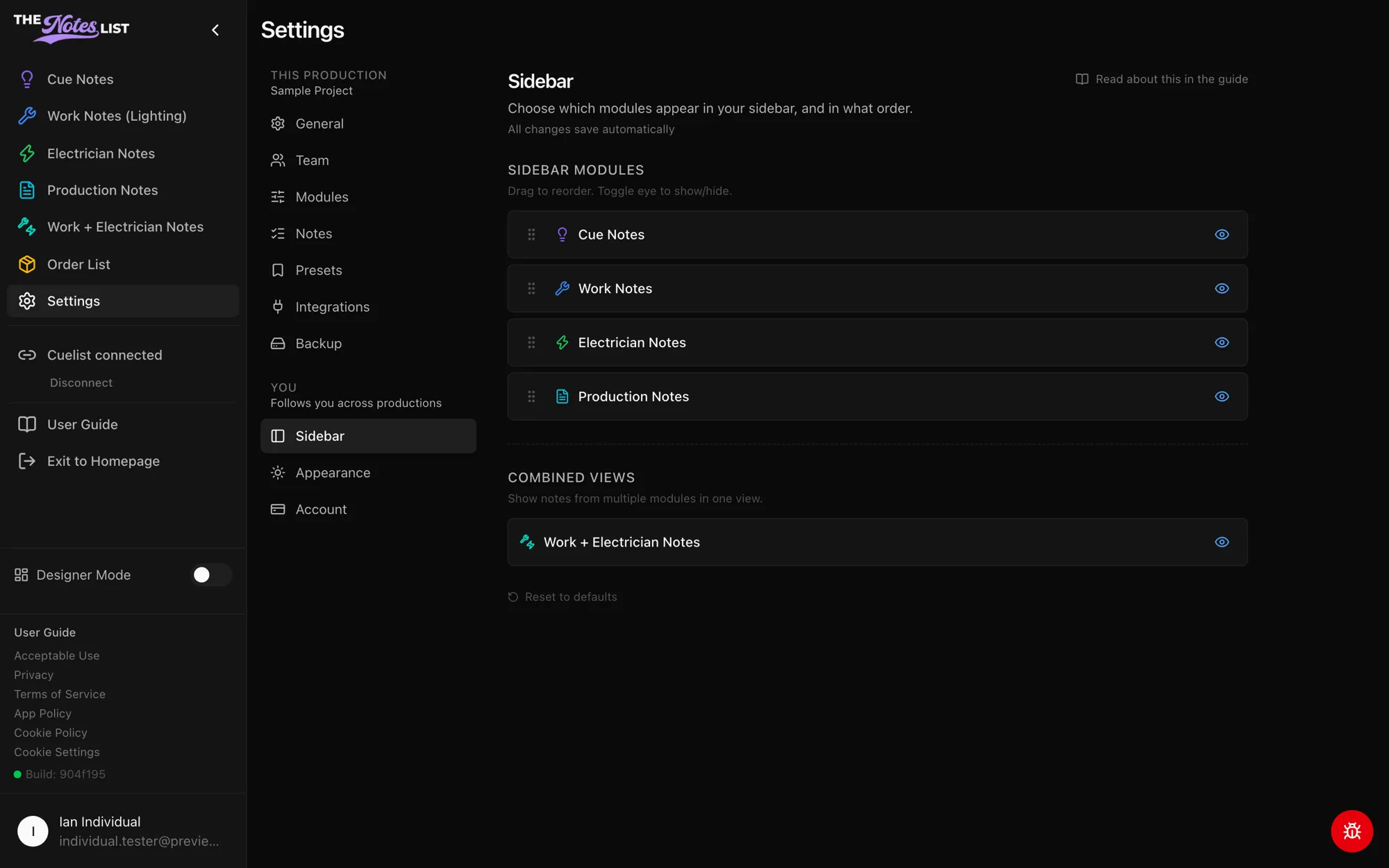
Choose which modules appear in your left sidebar, and in what order.
- Drag a module by its handle to reorder it.
- Click the eye icon to show or hide it.
- Under Combined Views, turn on Work + Electrician Notes to see both in one list.
- Reset to defaults puts everything back.
Hiding a module here only hides it for you. To turn a module off for the whole production, an admin uses Modules.
Appearance
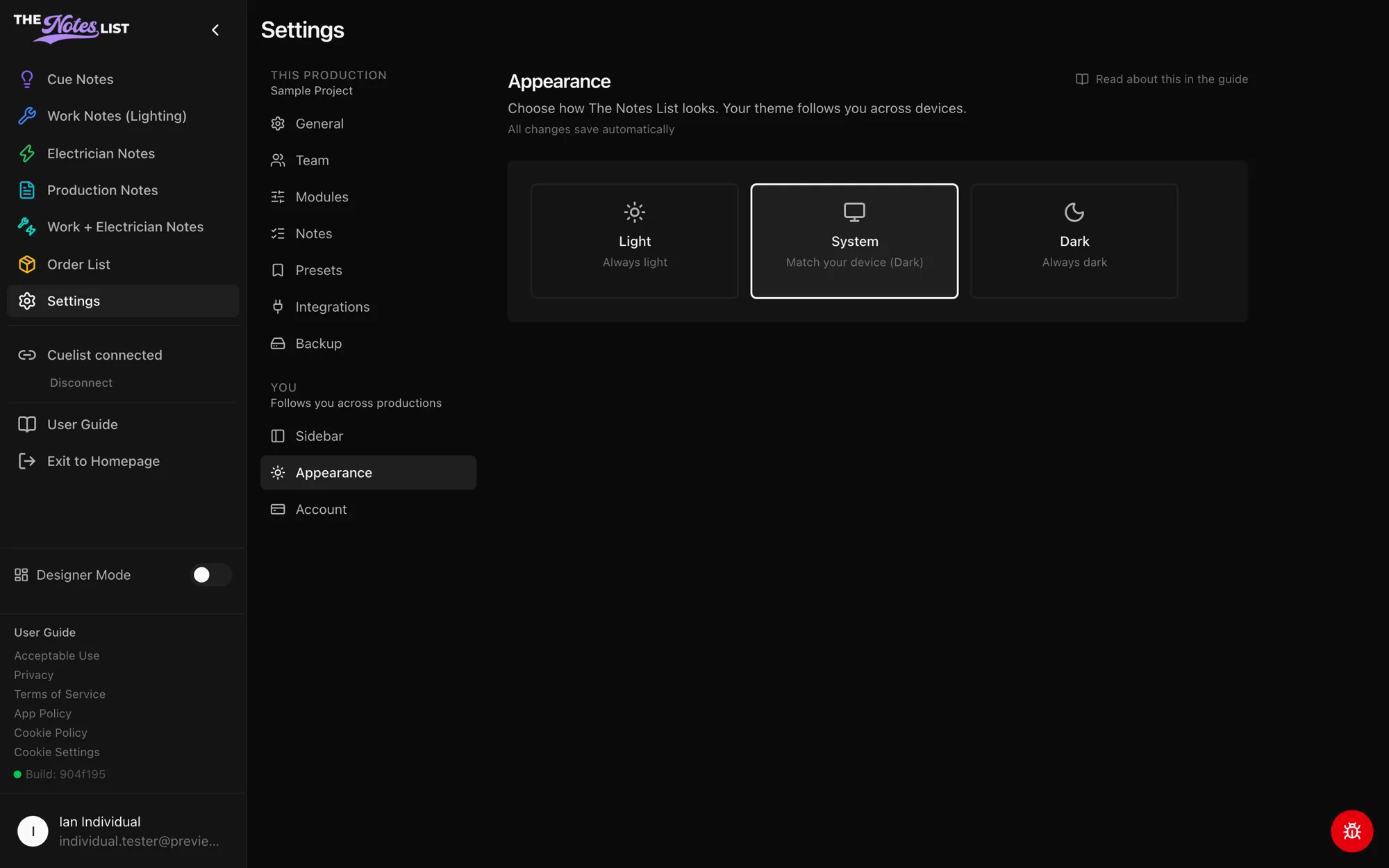
Pick Light, Dark or System (match your device). Your choice follows you across devices. Reset to system default switches back to System.
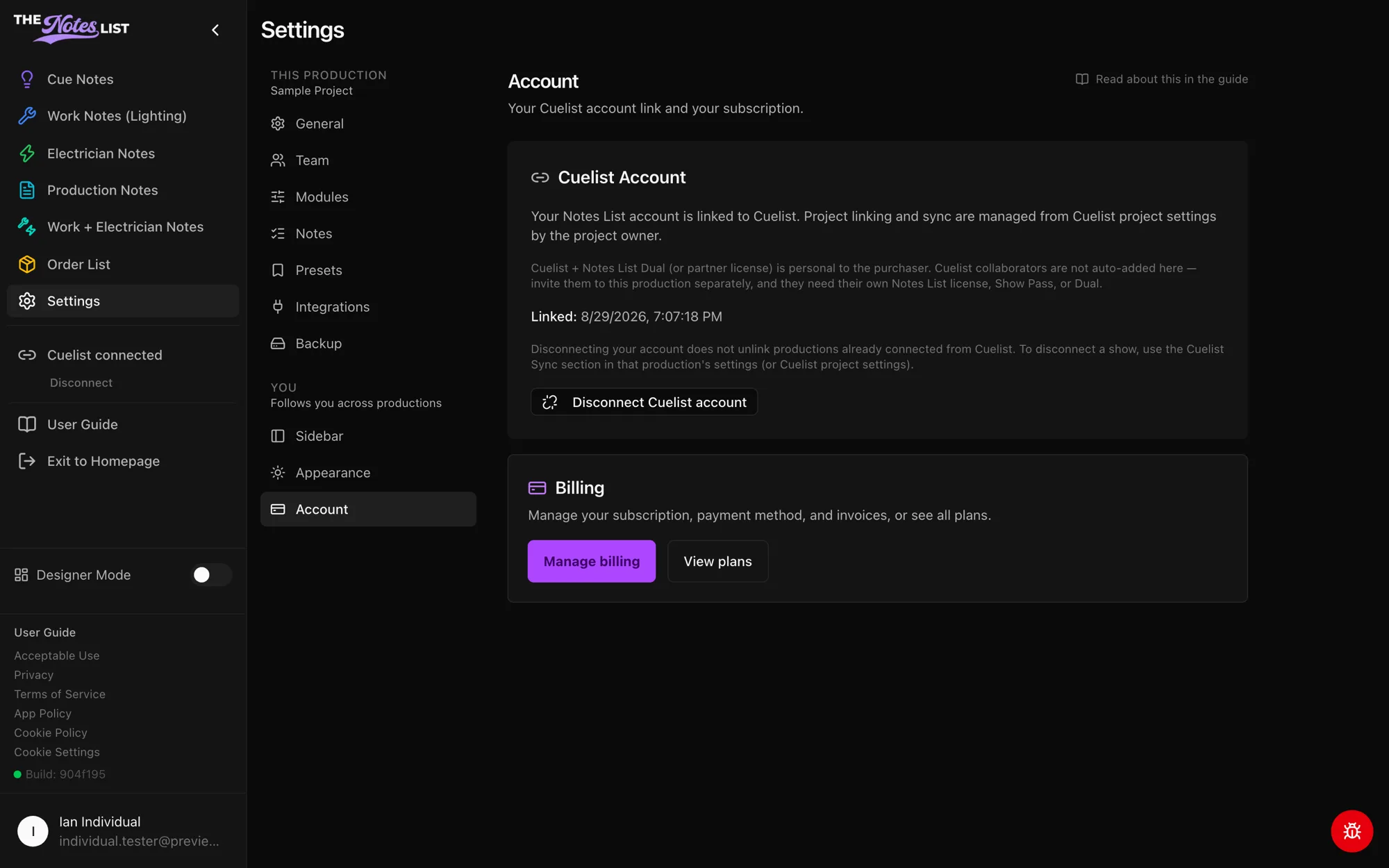
Account
- Cuelist Account shows whether your Notes List account is linked to Cuelist. Linking starts in Cuelist, from your account settings. You can disconnect your account here.
- Billing: Manage billing opens your subscription, payment method and invoices. View plans compares plans.
- Show Passes lists the productions you've bought a Show Pass for.
You can also reach billing any time from Billing in the account menu. See Plans Available for what each plan includes.