

Production Notes
This section will explore the Production Notes module.
We've explored setting up some cue notes already but let's discuss the Production Notes module, it's structure, and when it may fit your needs compared to other modules.
Overview
The Production Notes module is designed to be a non-discipline specific hub for your cross departmental notes.
Page Layout
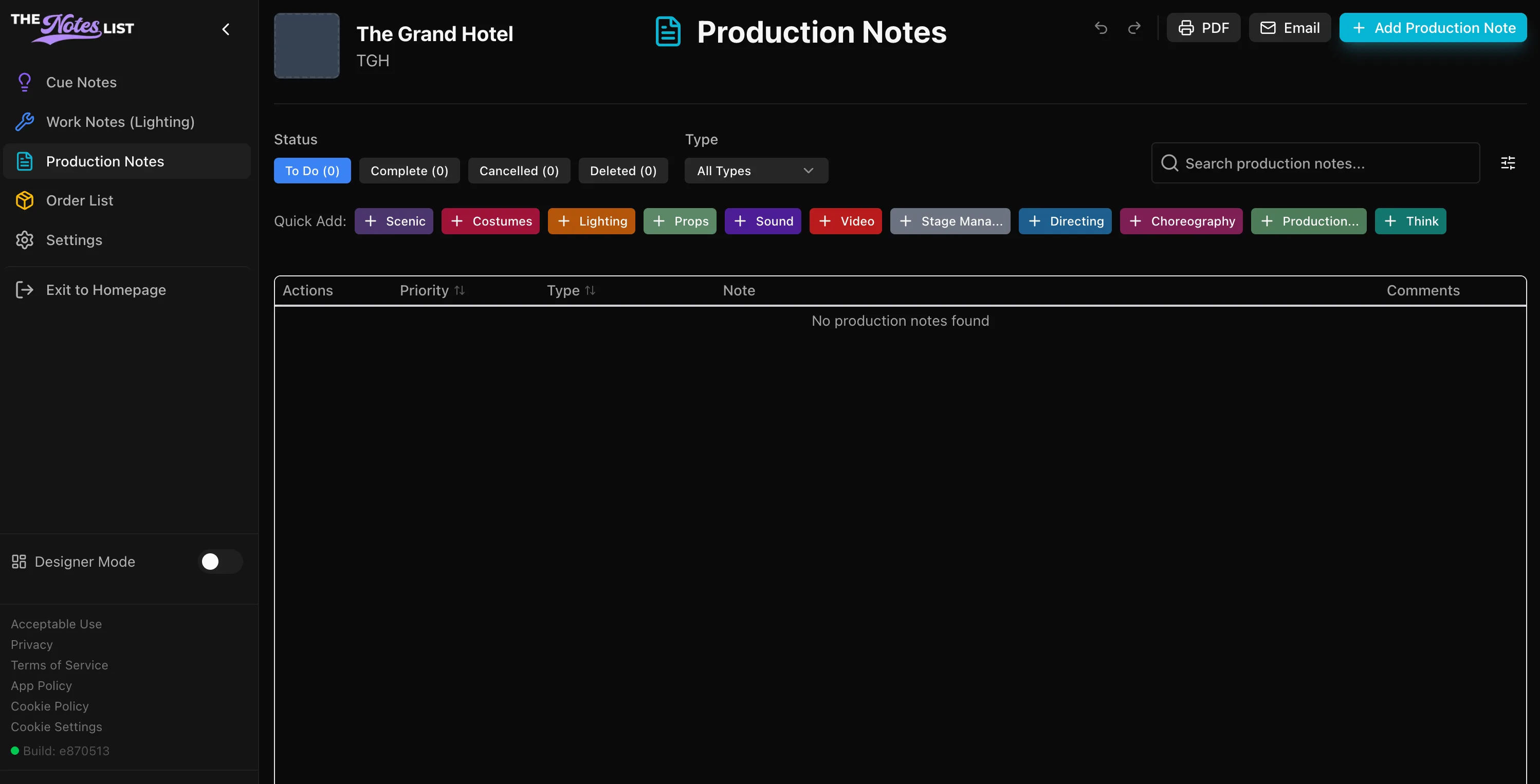
The quick adds section is organized include all typical theatrical production departments as presets. These quick adds are:
- Scenic
- Costumes
- Lighting
- Props
- Sound
- Video
- Stage Management
- Directing
- Choreography
- Production Management
- Think
As with any other module, these are fully customizable to fit the needs of your production.
Adding Production Notes
The process for adding notes is very similar to the Cue Notes module so let's just examine a few of the differences.
Let's generate a note for our collaborators in the scenic department as an example.
Let's select [ + Scenic ] and add that note. A window will open:
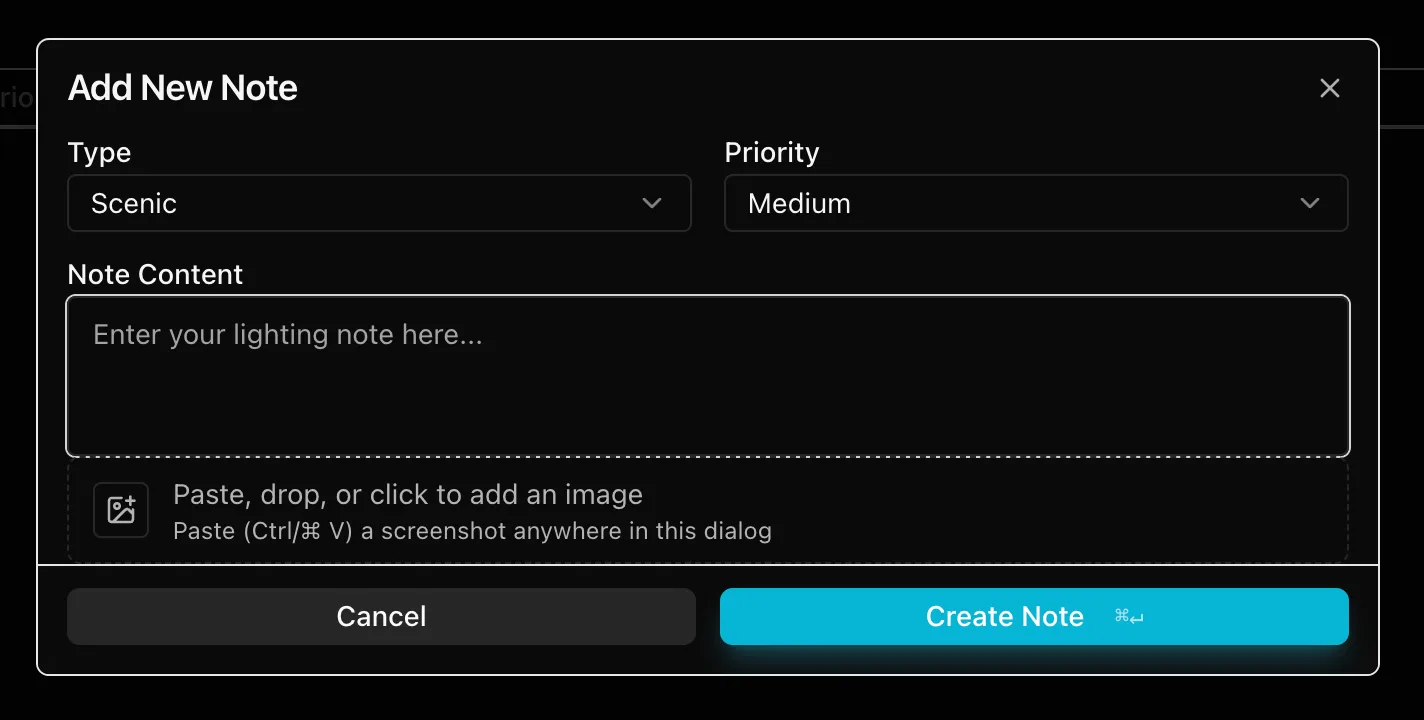
You'll find that this window is a much simplified version of the window in the other modules. The only tabs in a Production Notes window are:
- Note Type
- Priority
- Note Content
- Ability to add an image